

Make cards for free in minutes.
Adobe Express makes it easy to create stunning custom cards for any occasion, quickly and easily. Start with free, professionally designed templates at your fingertips that you can personalize in just a few easy steps.
* Available for print in US, UK, Australia, and Canada

Start making a card by searching for an event
Create custom cards fast with Adobe Express. Easy to use, endlessly customizable, and perfect for any occasion.


 Free to use
Or start with these popular templates


1. Pick a card template.
Explore templates in various styles, from bold and minimal to vintage and corporate, to match your taste. Whether it’s a thank you, birthday, wedding, or holiday card, there's a wide selection to choose from. Find the perfect starting point for any occasion.
2. Customize it.
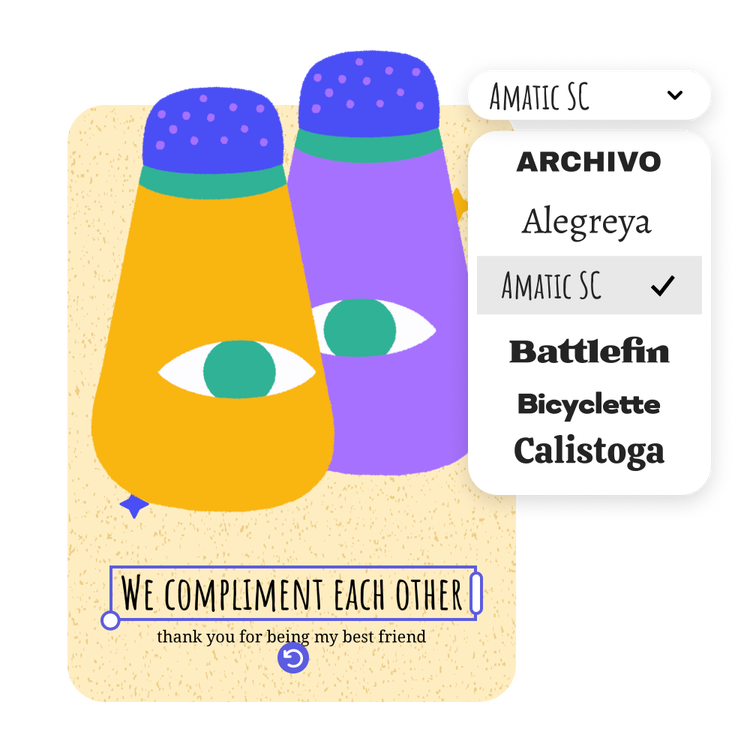
Click any text box to replace it with your message and customize fonts. Upload photos or access free Adobe Stock images through the full Adobe Express editor. Easily edit your card for a unique, personalized design.
3. Order your printed cards.
Download your new card as a PDF, JPG, or PNG file to share anywhere. If you’re creating your card using the US, UK, Australia, or Canada desktop version of Adobe Express, you can order high-quality prints in the full online editor and get it delivered to your door.
Create a custom greeting card with real meaning.
The potential design combinations are infinite when you make your card with Adobe Express. Plus, the greeting card maker is easy-to-use for everyone. No design skills are needed to add text, color schemes, and unique graphics that make your card pop. Adobe Express is free to use and easy to master, so you can always get the perfect greeting card made every time, quick, and stress-free.

Stay prepared for any occasion.
Creating a personalized card for your recipient beats a store-bought card. Let your recipient know you’re thinking of them with a one-of-a-kind card made with Adobe Express. From a pun-filled theme to something more formal, you can easily tailor your card design to fit the needs of the recipient in mind. Download your finished card as a PDF to print. Or, share it digitally via email or on social channels.
Make personalized cards that hit home.
Explore a wide selection of card templates that are simple to customize, no design experience required. If you're pressed for time, Adobe Express offers a variety of invitation templates in different styles for easy personalization. Add a special touch with a custom message and replace visuals with your own images, all in a few clicks.

Discover stunning, customizable greeting card templates from Adobe Express.
Create personalized cards in minutes with Adobe Express. A simple design process allows you to create a card with endless customization options. Make a card fit for any occasion, including birthdays, weddings, graduations, holidays, and condolences. Whether you’re new to design or you’re an industry professional, all you need is the greeting card creator from Adobe Express to make a stunning card in minutes.
Frequently asked questions.
What is the standard greeting card size?
Most cards are 5 X 7 inches but you can make your greeting card any size you’d like. Open your card in the Adobe Express full editor and use the Resize tool to swap to a custom dimension.
How do I design multiple sides to a card?
Some of our card templates are two sided already, so feel free to pick one and begin customizing with ease. You can also add additional sides or pages to your card by opening your design in the full Adobe Express editor, then selecting the + icon in the top navigation bar to add another page.
How can I print my card with colors all the way to the edge of the paper?
To add a bleed to your card, open in the Adobe Express full editor and use the Resize tool to increase your card by that size – so a 5” x 7” card would be 5.25” x 7.25” with the bleed.
How do I share my new card as an e-card?
With Adobe Express, it's fast and simple to share your new design as an e-card. Once you've finished your design, download the card and send it via email or post it on your go-to social networks.
Can I get Adobe Express for free? If so, what’s included?
Yes, Adobe Express has a free plan that includes core features like photo editing tools and effects and thousands of free templates. Learn more about our plans and pricing.
Explore Related Posts


illustrator