Design at any scale with the go-to for logos and brand graphics. Shape every detail with precision tools used by the pros. Explore new directions and get to final faster with AI workflows that keep you in full creative control.
Make your business or side hustle stand out with custom graphics. Use industry-leading graphic design tools to create unique artwork, patterns, and type and then apply them to realistic mockups of t-shirts, packaging, and beyond.
Marketing and Advertising
Get noticed with go-anywhere graphics.
Effortlessly scale your artwork to use anywhere your audience is. From business cards to billboards or digital ads, your illustrations stay perfectly sharp and clear in print and digital.
Digital Drawing
Design bold, precise artwork.
Create crisp vector graphics with total control over every detail. Combine shapes to create something new, play with color, and edit your linework until it’s perfect.
Explore Adobe Illustrator features.
anchor
illustrator-features
Draw perfect lines, every time.
Smart snapping helps you draw in record time. Use Snap to Tangent or Snap to Perpendicular to make precise, clean lines without adding anchor points.
carousel
Carousel container
Turn rough ideas into vectors.
Drop a sketch or low-res image into Illustrator and start refining, not redrawing. Concept to Vector transforms outlines into editable graphics — ready to reshape, restyle, and explore new directions.
carousel
Carousel container
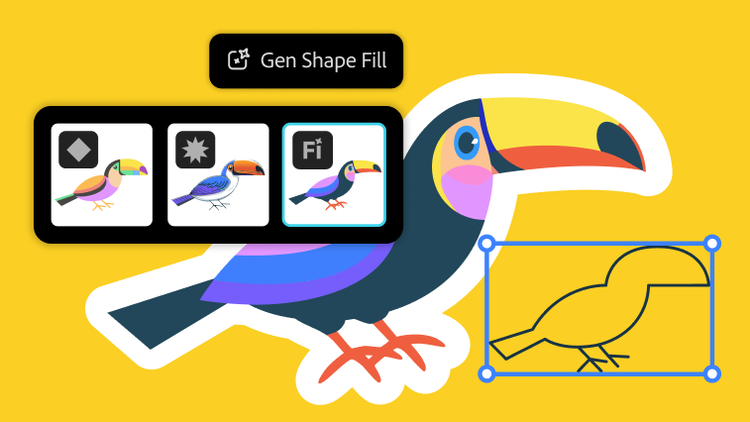
More flexible ways to fill shapes.
Explore different design possibilities with powerful AI models like GPT‑4o, Gemini 2.5, and more — now in Generative Shape Fill.
carousel
Carousel container
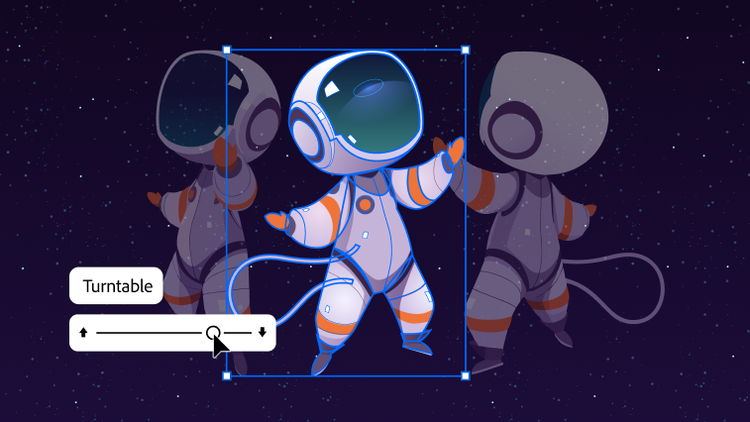
See your art from every angle, instantly.
Bring new perspectives to your work with Turntable in Illustrator. Skip hours of redraws, refine designs, and add motion for presentations or social.
carousel
Carousel container
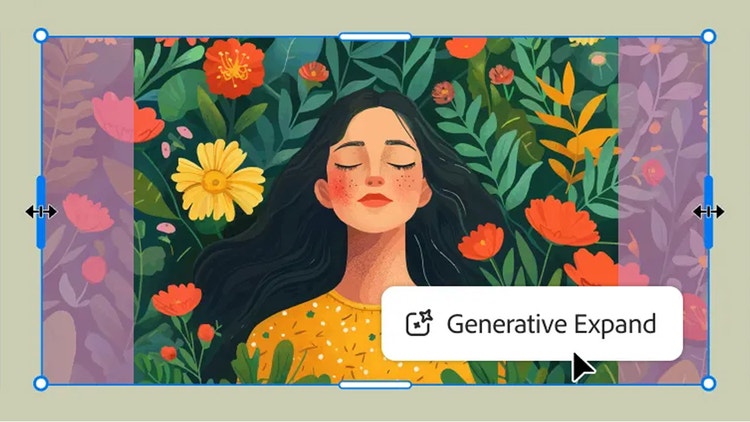
Expand your artwork seamlessly.
Maximize your productivity with new Generative Expand. Resize graphics, add bleeds, and explore concepts for professional designs.
carousel
Carousel container
Fine-tune every shade.
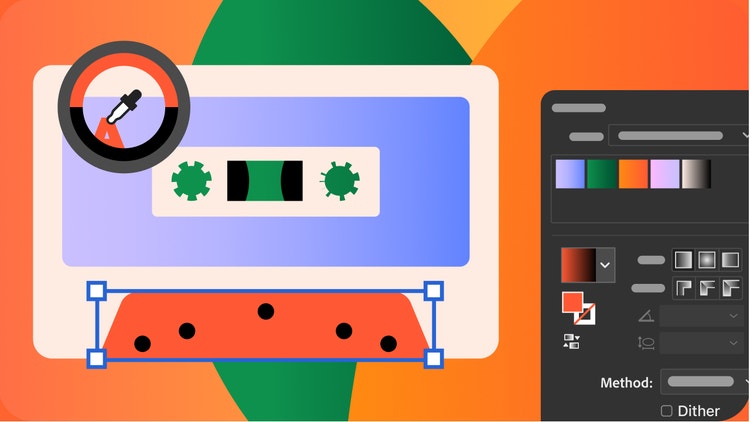
Supercharge your workflow with a smoother Gradient tool and presets for more precise color transitions. A new Color Picker icon makes finding the perfect color easier than ever.
Regularly at US$69.99/moAlternatively at US$34.99/moAnnual, billed monthly
See what’s included:
Create designs, icons, logos, and more with Illustrator
20+ apps for photo, design, and video
Unlimited access to standard creative AI image and vector features like Text to Image and Generative Fill
4,000 monthly generative credits for premium creative AI video and audio features like Text to Video.
Unlimited access to Firefly Boards for exploring ideas and developing storyboards
Access to non-Adobe Generative AI models in Firefly
Adobe Express Premium, Frame.io for Creative Cloud, tutorials, fonts, templates, and 100GB of cloud storage
Join over 7 million Creative Cloud Pro subscribers worldwide. Save 50% for the first 3 months on the full version of Illustrator, plus Adobe Firefly creative AI. Pay US$34.99/mo for the first 3 months and US$69.99/mo after that. New subscribers only.
Regularly at US$69.99/moAlternatively at US$19.99/moAnnual, billed monthly
See what’s included:
Create designs, icons, logos, and more with Illustrator
20+ photo, graphic design, and video apps including Illustrator
Unlimited access to standard creative AI image and vector features like Text to Image and Generative Fill
4,000 monthly generative credits for premium creative AI video and audio features like Text to Video
Access to industry-leading AI models from Adobe, Google, OpenAI, and more
Unlimited access to Firefly Boards for exploring ideas and developing storyboards
Access to non-Adobe generative AI models in Firefly
Adobe Express Premium, Frame.io for Creative Cloud, tutorials, fonts, templates, and 100GB of cloud storage
Save 71% on 20+ apps, including Illustrator, plus Adobe Firefly creative AI for images, video, and audio. Pay US$19.99/mo the first year and US$39.99/mo after that.
Adobe Illustrator is the industry-leading graphic design tool that lets you design anything you can imagine – from logos and icons to graphics and illustrations – and customize it with professional-level precision, as well as time-saving features like Repeat for Patterns or Global Edits. You can use the graphics you create with Adobe Illustrator in any size digital or print format, and be confident they'll look exactly the way you designed them.
Both products let you create beautiful, precise designs and graphics. The difference lies in how they're created. Adobe Illustrator is best for creating graphics that can be infinitely scaled up or down without blurring or losing sharpness, since they're made of points, lines, and curves – not pixels. Use these vector graphics in any format you like – small or extra-large, digital or print. Adobe Photoshop, on the other hand, is ideal for working with photos and creating or editing pixel-based, or raster, graphics. Learn more about when to use Adobe Illustrator vs. Adobe Photoshop here.
Not at all. With Adobe Illustrator, you can use shapes, lines, curves, and edges to create beautiful designs with features like Shape Builder, even if you've never drawn a thing in your life. Or, try out customizable templates for when you want to get started quickly on a project. The best part is that you can keep modifying and changing colors, fonts, shapes and more – whenever and as much as you like.
Yes. You can download it in the App Store, and it's included in your Adobe Illustrator or Adobe Creative Cloud Pro subscription. Adobe Illustrator on the iPad is especially great if you love to draw digitally with natural hand movements – for example, by using an Apple Pencil. Find out more about Adobe Illustrator on the iPad here.
US$22.99/mo for the annual billed monthly plan. We'll get you started with tutorial videos and hands-on learning, free fonts and templates, access to Adobe Express Premium, and more. Learn more about purchasing options on the Creative Cloud plans page.
If you're interested in additional Adobe creative apps, you can also get Illustrator as part of the Creative Cloud Pro plan.
Adobe Illustrator is a paid monthly or yearly subscription, but you can sign up for a free seven-day trial to see if Illustrator is the best graphic design tool for you. Or try making collages, flyers, videos , and animations with the regular version of Adobe Express — it's free forever.
Yes, students and teachers save over 71% on the Adobe Creative Cloud Pro plan. Find out more about student plans here.
When generating content, you can select between Adobe’s proprietary models or a partner model from the Model dropdown menu. Adobe Illustrator is one of the Adobe Creative Cloud apps that natively integrates Adobe Firefly, Adobe’s powerful generative AI technology as well as provides the choice to use third party models like GPT 4o, Nano Banana, Ideogram, Imagen 4 and more. Generative Shape Fill, Text to Vector Graphic, Text to Pattern, and Generative Expand generations are editable vectors that can easily be scaled.
style
static links, xxl-spacing-bottom
Illustrator
Gorgeous graphics, designed by you.
With Illustrator and generative AI, anyone can create logos, packaging designs, web graphics, and more.
You can control how Adobe websites use cookies and similar technologies by making choices below. But note that if you disable cookies and similar technologies entirely, Adobe websites may not function properly.
Cookies are small text files stored by your web browser when you use websites. There are also other technologies that can be used for similar purposes like HTML5 Local Storage and local shared objects, web beacons, and embedded scripts. These technologies help us do things like remembering you and your preferences when you return to our sites, measure how you use the website, conduct market research, and gather information about the ads you see and interact with.
You can make choices in the menu below about what cookies and other technologies you want us to use on Adobe sites when you visit them from this browser. You can always change those choices later by clicking on the Cookie Preferences link at the bottom of the page.
If enabled:
We can improve your experience by tailoring the site and the content to things we think might be of interest
We can better keep track of your preferences — like what language you prefer to use
We will better understand your likely interests so we can provide you more relevant Adobe ads and content on non-Adobe websites and in non-Adobe apps
It will help us improve the performance of our website and those of our partners who use the Adobe Experience Cloud
If disabled:
We won’t be able to remember you from session to session so the experience may not be tailored to your interests
You’ll still have access to the content of the site but certain features that depend on cookies may not function
You’ll still see ads, they just may not be as relevant to you
General information
You can control how Adobe websites use cookies and similar technologies by making choices below. But note that if you disable cookies and similar technologies entirely, Adobe websites may not function properly.
Cookies are small text files stored by your web browser when you use websites. There are also other technologies that can be used for similar purposes like HTML5 Local Storage, web beacons, and embedded scripts. These technologies help us do things like remembering you and your preferences when you return to our sites, measure how you use the website, conduct market research, and gather information about the ads you see and interact with.
You can make choices in the menu below about what cookies and other technologies you want us to use on Adobe sites when you visit them from this browser. You can always change those choices later by clicking on the Cookie Preferences link at the bottom of the page.
If enabled:
We can improve your experience by tailoring the site and the content to things we think might be of interest
We can better keep track of your preferences — like what language you prefer to use
We will better understand your likely interests so we can provide you more relevant Adobe ads and content on non-Adobe websites and in non-Adobe apps
It will help us improve the performance of our website and those of our partners who use the Adobe Experience Cloud
If disabled:
We won’t be able to remember you from session to session so the experience may not be tailored to your interests
We’ll still count your use of our site and services
You’ll still have access to the content of the site but certain features that depend on cookies may not function
You’ll still see ads, they just may not be as relevant to you
Operate the site and core servicesOperate site and measure engagement
Always active
These cookies are required, and they are used to enable the site and related services core functionality. Without them the site could not operate, so they cannot be disabled.
These cookies enable the site and related services’ core functionality and collect statistics about user engagement, such as counting active use to help us understand trends. These cookies cannot be disabled.
Measure performance
These cookies are used to analyze site usage to measure and improve performance. Without them Adobe cannot know what content is most valued and how often unique visitors return to the site, making it hard to improve information we offer to you.
These cookies are used to analyze site usage to measure and improve performance. Without them Adobe cannot know what content is most valued, making it hard to improve information we offer to you.
Extend functionality
These cookies are used to enhance the functionality of Adobe sites such as remembering your settings and preferences to deliver a personalized experience; for example, your username, your repeated visits, preferred language, your country, or any other saved preference.
Personalize advertising
These cookies are used to enable Adobe and our partners to serve ads more relevant to your interests. Without them you will still see ads, but they might not be as relevant to you.