
Need a quick edit? Your Photoshop membership includes Adobe Express.






Try Photoshop with a 7-day free trial. If that doesn't give you enough time to try all the features, you'll still have an extra 14 days to cancel and receive a full refund.
Day 1
Start your free trial today
Day 8
Your trial has ended and billing begins
7-day free trial
Day 8
Your trial has ended and billing begins
14-day money back guarantee
Day 21
Cancel within 14 days to get a full refund
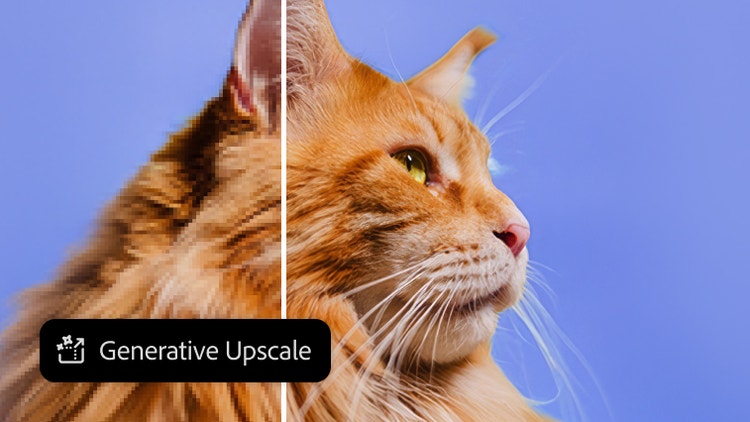
Upscale images with unmatched power and flexibility using partner AI models from Topaz Labs in Photoshop. Instantly boost quality, clarity, and sharpness.
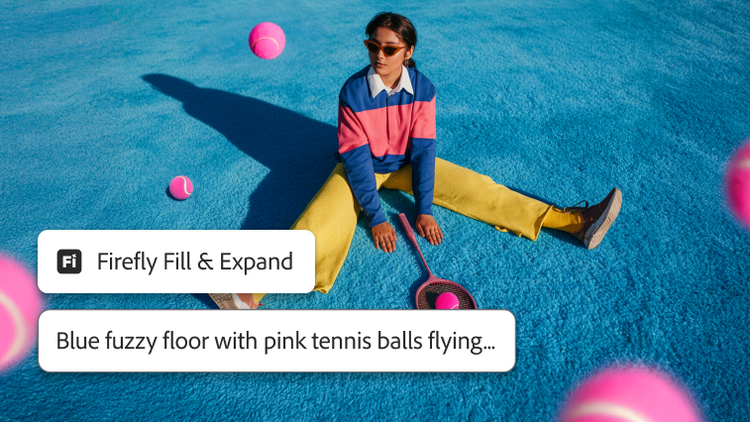
Higher resolution. Cleaner edges. Sharper details. Get more realistic results with the latest Generative Fill, Expand, and Remove Tool models.

Instantly blend people and objects into any background. Harmonize matches the lighting, shadows, colors, and other details for a seamless scene in seconds.
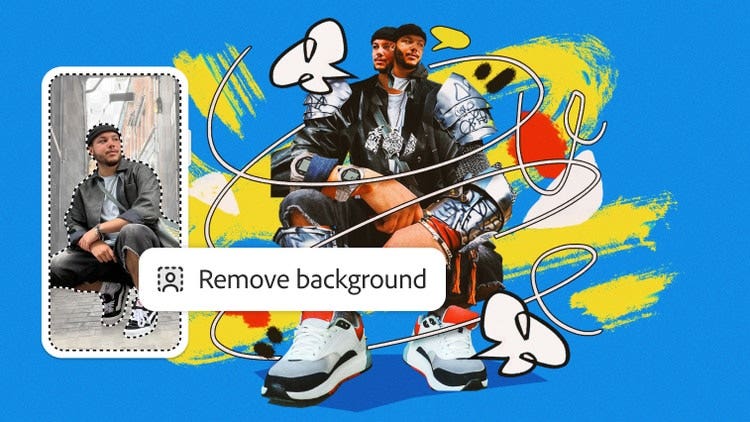
Craft something truly unique with Photoshop, now on iPhone and Android. Combine and edit photos, graphics, and Adobe Stock images. It’s easy to learn.
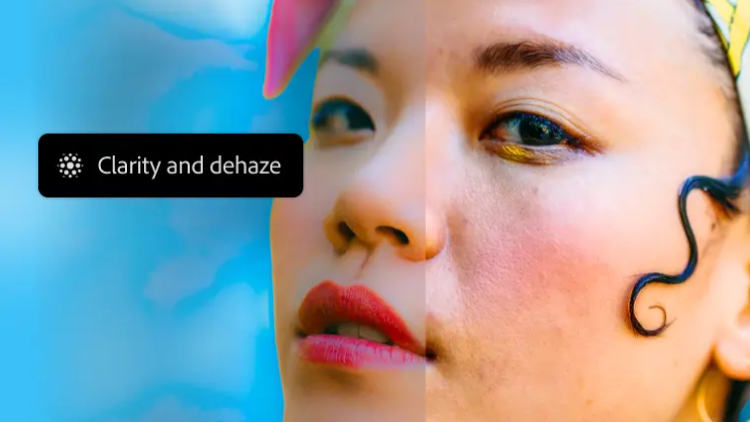
Now you can adjust texture, atmosphere, and sharpness nondestructively right in the Layers panel, and apply masks for pinpoint control.
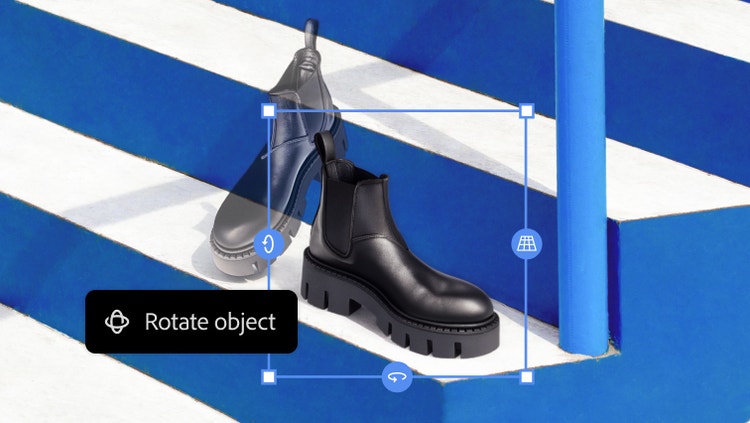
Mock up new directions quickly with Rotate Object. Tilt, rotate, and scale objects in real time — without rebuilding all the details.
Need a quick edit? Your Photoshop membership includes Adobe Express.


Yes, you can download a 7-day free trial of Photoshop on your computer. The free trial is the full version of the app and includes access to all the features and updates in the latest version of Photoshop including access to Photoshop on the web. Your free trial will automatically convert to a paid Creative Cloud subscription after 7 days, unless you cancel before then.
You can also download Photoshop on iPhone and on iPad for free. Both are free apps with premium features that are available when you purchase a subscription. To download and install either app, visit the App Store on your device.
For a quick, easy, and free online photo editor, try Adobe Express. The Adobe Express free plan includes beautiful templates, fonts, and images you can use along with your own photos for social graphics, flyers, animations, collages, compositing, and more.
New customers can start a 7-day free trial of Photoshop anytime, which includes the desktop, web, iPhone, and iPad apps. To start a 7-day free trial of Photoshop:
US$22.99/moAnnual, billed monthly
Create gorgeous images, rich graphics, and incredible art with Photoshop
Use thousands of templates to make standout content with an Adobe Express Premium plan
Tutorials, fonts, templates, and more
100GB cloud storage
25 monthly generative credits
Photoshop on desktop, web, and mobile plus the Adobe Express Premium plan.

7-day free trial, then
Create gorgeous images, rich graphics, and incredible art with Photoshop
20+ apps for photo, design, and video
Unlimited access to standard creative AI image and vector features like Text to Image and Generative Fill
4,000 monthly generative credits for premium creative AI video and audio features like Text to Video.
Unlimited access to Firefly Boards for exploring ideas and developing storyboards
Access to non-Adobe Generative AI models in Firefly
Adobe Express Premium, Frame.io for Creative Cloud, tutorials, fonts, templates, and 100GB of cloud storage
Save 50% for the first 3 months on 20+ apps and Adobe Firefly creative AI. Pay US$34.99/mo for the first 3 months and US$69.99/mo after that. New subscribers only. See terms
See what's included

