Nota: Los archivos de proyecto incluidos en este tutorial son solo para fines prácticos.
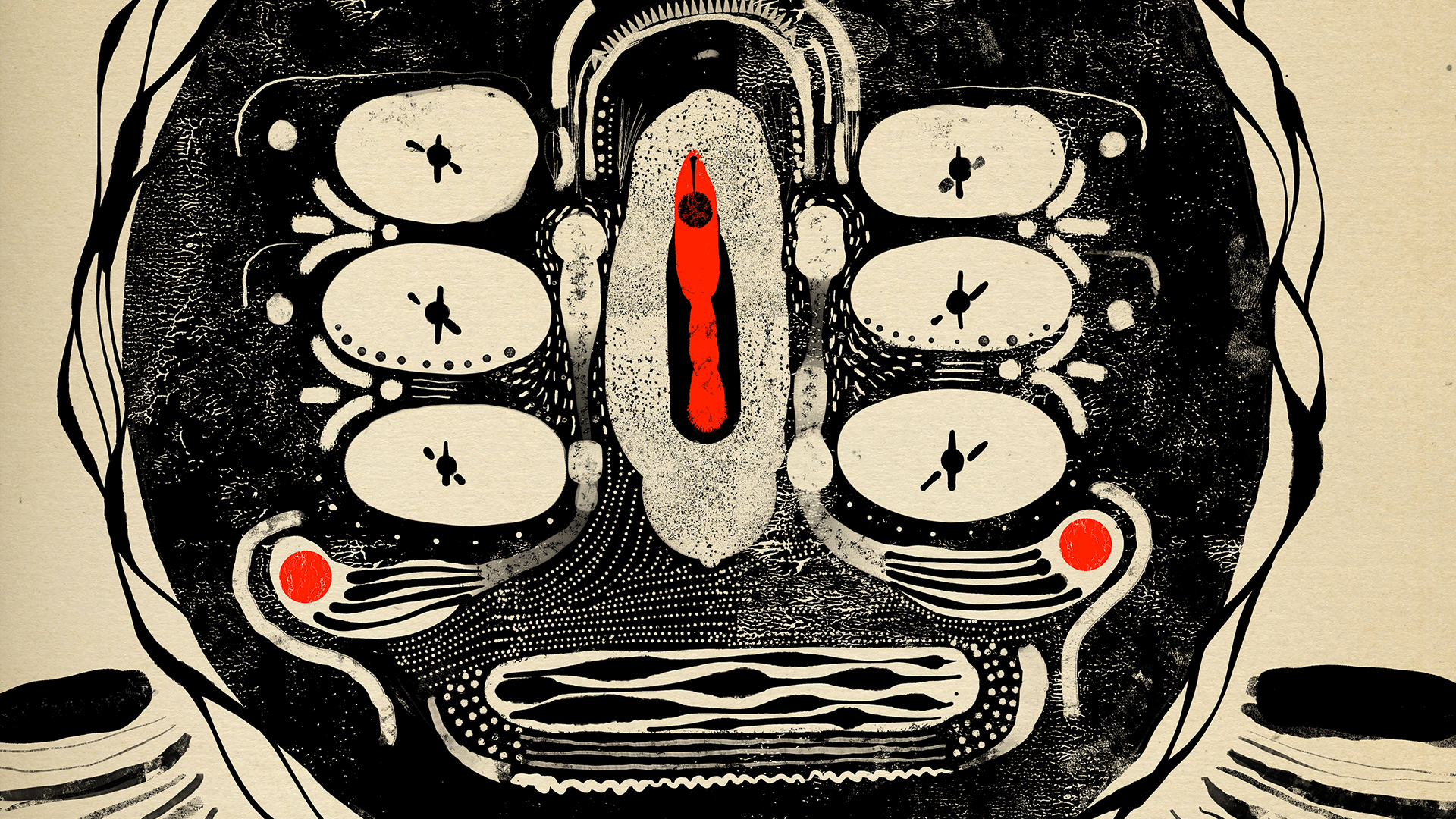
Si quieres experimentar con los pinceles que Alejandro ha proporcionado, añade la biblioteca a tu trabajo. Esta serie se centra en sus pinceles épicos, que estarán disponibles en el panel Bibliotecas (Ventana > Bibliotecas) en Adobe Photoshop y en la sección Bibliotecas de los pinceles de píxeles en Adobe Fresco.
Para practicar con este collage con textura, copia la ilustración en la sección Tu trabajo de Photoshop o Fresco.
Crea pinceles a partir de texturas.
He creado collages durante los últimos 25 años casi a diario. A lo largo de los años, mi práctica artística ha evolucionado, pero siempre ha tenido un componente digital desde que comencé a usar Adobe Photoshop en la década de los 90. Cuando se lanzó Adobe Fresco, estaba un poco receloso, ya que me había acostumbrado a mi flujo de Adobe Sketch + Photoshop. Tardé solo un par de semanas en adoptarlo completamente como mi “máquina de arte”. Fresco combinaba lo mejor mis flujos y herramientas favoritos de una manera muy cohesiva. Ahora podía añadir una capa mucho más fluida de expresión artística a mis collages, dibujos y garabatos.
Cuanto más gestual e ilustrativo se volvía mi trabajo, me di cuenta de que me decantaba por los mismos estilos de pincel desgastado para trabajar en una nueva imagen o serie de trabajo. Entonces comprendí que necesitaba comenzar a crear mis propios pinceles para sentir este trabajo realmente mío. Hacer arte es increíblemente gratificante, pero crear tus propias herramientas para hacer arte añade un poco más de diversión al proceso. Todo el trabajo para crear mis pinceles lo llevé a cabo en Photoshop. Pasé mucho tiempo usando la cámara de mi teléfono para recopilar texturas y manchas de tinta en mis paseos por la ciudad o en mi estudio.
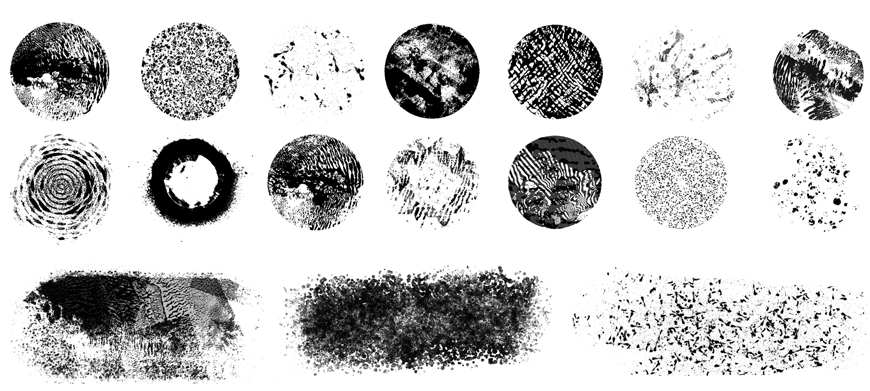
Experimenta con estilos de pinceles en tu trabajo.
El objetivo de mis pinceles siempre era reflejar, no solo mis preferencias estilísticas, sino mi forma de trabajar. Algunos de estos pinceles se mueven lentamente, otros entrecortados, otros tienen un uso completamente diferente cuando se maximizan en tamaño o se usan como delineador, otros están hechos de la superficie granulosa de la pintura del paso de peatones y algunos tienen texturas de un rodillo de 30 años. Tal vez lo que quiero que saques de esto es que la experimentación es fundamental para sacar el máximo partido de tus esfuerzos creativos, y crear tus propias herramientas puede formar parte de ese proceso.
Así que, saca esos pinceles a pasear y muéstranos lo que puedes hacer. A continuación, asegúrate de ver qué puedes hacer con mi segundo conjunto de pinceles épicos.

Prueba estos tutoriales con Photoshop
Edita fotos para crear nuevas imágenes y gráficos.
You can control how Adobe websites use cookies and similar technologies by making choices below. But note that if you disable cookies and similar technologies entirely, Adobe websites may not function properly.
Cookies are small text files stored by your web browser when you use websites. There are also other technologies that can be used for similar purposes like HTML5 Local Storage and local shared objects, web beacons, and embedded scripts. These technologies help us do things like remembering you and your preferences when you return to our sites, measure how you use the website, conduct market research, and gather information about the ads you see and interact with.
You can make choices in the menu below about what cookies and other technologies you want us to use on Adobe sites when you visit them from this browser. You can always change those choices later by clicking on the Cookie Preferences link at the bottom of the page.
If enabled:
We can improve your experience by tailoring the site and the content to things we think might be of interest
We can better keep track of your preferences — like what language you prefer to use
We will better understand your likely interests so we can provide you more relevant Adobe ads and content on non-Adobe websites and in non-Adobe apps
It will help us improve the performance of our website and those of our partners who use the Adobe Experience Cloud
If disabled:
We won’t be able to remember you from session to session so the experience may not be tailored to your interests
You’ll still have access to the content of the site but certain features that depend on cookies may not function
You’ll still see ads, they just may not be as relevant to you
General information
You can control how Adobe websites use cookies and similar technologies by making choices below. But note that if you disable cookies and similar technologies entirely, Adobe websites may not function properly.
Cookies are small text files stored by your web browser when you use websites. There are also other technologies that can be used for similar purposes like HTML5 Local Storage, web beacons, and embedded scripts. These technologies help us do things like remembering you and your preferences when you return to our sites, measure how you use the website, conduct market research, and gather information about the ads you see and interact with.
You can make choices in the menu below about what cookies and other technologies you want us to use on Adobe sites when you visit them from this browser. You can always change those choices later by clicking on the Cookie Preferences link at the bottom of the page.
If enabled:
We can improve your experience by tailoring the site and the content to things we think might be of interest
We can better keep track of your preferences — like what language you prefer to use
We will better understand your likely interests so we can provide you more relevant Adobe ads and content on non-Adobe websites and in non-Adobe apps
It will help us improve the performance of our website and those of our partners who use the Adobe Experience Cloud
If disabled:
We won’t be able to remember you from session to session so the experience may not be tailored to your interests
We’ll still count your use of our site and services
You’ll still have access to the content of the site but certain features that depend on cookies may not function
You’ll still see ads, they just may not be as relevant to you
Operate the site and core servicesOperate site and measure engagement
Always active
These cookies are required, and they are used to enable the site and related services core functionality. Without them the site could not operate, so they cannot be disabled.
These cookies enable the site and related services’ core functionality and collect statistics about user engagement, such as counting active use to help us understand trends. These cookies cannot be disabled.
Measure performance
These cookies are used to analyze site usage to measure and improve performance. Without them Adobe cannot know what content is most valued and how often unique visitors return to the site, making it hard to improve information we offer to you.
These cookies are used to analyze site usage to measure and improve performance. Without them Adobe cannot know what content is most valued, making it hard to improve information we offer to you.
Extend functionality
These cookies are used to enhance the functionality of Adobe sites such as remembering your settings and preferences to deliver a personalized experience; for example, your username, your repeated visits, preferred language, your country, or any other saved preference.
Personalize advertising
These cookies are used to enable Adobe and our partners to serve ads more relevant to your interests. Without them you will still see ads, but they might not be as relevant to you.
Personalize advertising
These cookies are used to enable Adobe and our partners to serve ads more relevant to your interests. Without them you will still see ads, but they might not be as relevant to you.